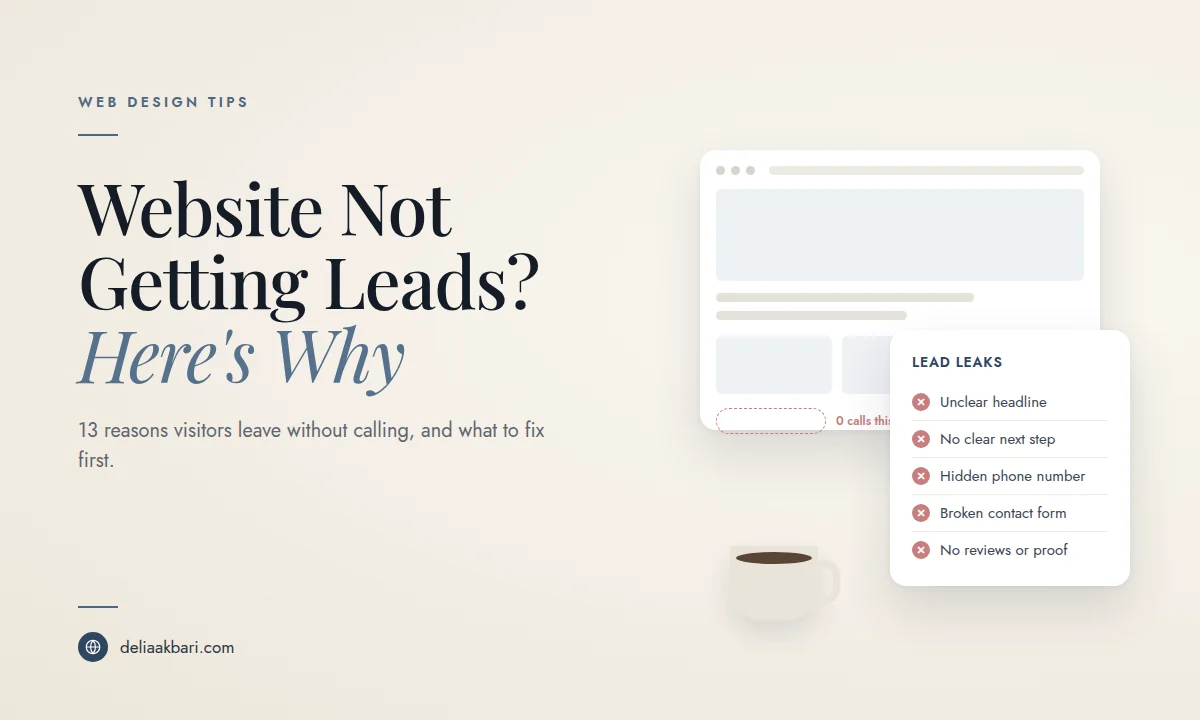
A website that isn't getting leads is one of the most expensive problems a small business can have, mostly because it's invisible. There's no error message. The site loads, it looks fine, and the phone just doesn't ring. Most owners respond by guessing: new photos, a new color scheme, more social posts. Sometimes that helps. Usually it doesn't, because the real reason visitors aren't converting is something much more specific.
This guide walks through how to find out whether your website has a lead problem at all, the 13 most common reasons small business websites don't generate leads, and the order to fix them in. If you already know people are visiting and not calling, you'll also want to read why your website gets traffic but no customers, which covers how to tell a traffic problem from a conversion problem.
First, Measure It: Is Your Website Actually Not Converting?
You can't fix a conversion problem you can't see. Before changing anything, make sure you're counting leads properly, because a surprising number of "my website doesn't get leads" complaints turn out to be "my website gets leads and nobody is tracking them."
- Count every lead type, not just forms. For most local businesses, a website lead is a phone call, a contact form, a booking, a quote request, a direction request, or a text. If you only look at your form inbox, you might be missing most of what the site produces.
- Track taps on your phone number. In Google Analytics 4, set up key events (what GA4 used to call conversions) for clicks on
tel:links, form submissions, and booking button clicks. Without this, calls from your website look exactly like calls from anywhere else. - Separate your website from your Google Business Profile. Calls that come straight from your profile in Google Maps never touch your website. Your profile shows its own call and website click numbers, so check both before deciding which one is underperforming.
- Ask every new customer how they found you. It's low tech and it works. A simple "how did you hear about us?" field on your form fills in the gaps analytics can't.
Once tracking is in place, the number that matters is your conversion rate: leads divided by visitors, for a given page and time period. A service page with a few hundred visits a month from local searches and zero leads has a problem. A page with twelve visits a month doesn't have enough data yet, and the real issue is traffic, not conversion.
Right now, fill out your own contact form and tap your phone number on your phone. Did the email arrive? Did it land in spam? Did the call go through to the right number? A broken form is the single fastest way to have a website that "doesn't get leads," and it happens far more often than people expect.
13 Reasons Your Website Isn't Generating Leads
These are ordered roughly by how often I see them on small business websites in Los Angeles, not by how technical they are. Most sites have three or four of these at once.
1. Visitors can't tell what you do in five seconds
The headline at the top of your homepage is doing more work than any other sentence on your site. "Welcome to Our Website" or "Quality You Can Trust" tells a visitor nothing. They need to know what you do, who it's for and where you work before they'll read anything else. Fix: Rewrite the headline to name the service and the area, for example "Emergency Plumbing in Glendale, Same Day Service," with one supporting line underneath about why you.
2. There's no single, obvious next step
When a homepage offers six equally weighted buttons, visitors don't pick one, they leave. Every page needs a primary action: call, book, or request a quote. Fix: Choose one primary call to action per page, make it visually dominant above the fold, and repeat it after each major section so nobody has to scroll back up to act.
3. Your phone number is hard to find or not tappable
Most local searches happen on a phone, and a large share of those visitors want to call, not type. If your number is buried in the footer, sits inside an image, or isn't formatted as a tappable link, you're losing the most ready-to-buy visitor you have. Fix: Put your number in the header on every page as a tel: link, and add a sticky call button on mobile.
4. Your contact form asks for too much, or doesn't work
Every extra field is another reason to quit halfway. A form asking for a budget range, a project timeline, and how they heard about you before they've even said hello feels like paperwork. And forms break silently: an old plugin stops sending, the notification email points to an inbox nobody checks, or messages get filtered as spam. Fix: Cut the form to name, phone or email, and a short message. Test it monthly, and make sure notifications go to an address you actually read.
5. There's no proof anyone else trusts you
A first-time visitor is quietly asking one question: can I trust this business with my money? Stock photos, no reviews and no real examples of your work leave that question unanswered. Fix: Show real reviews near your calls to action, use real photos of your team and your work, and add project examples, certifications, years in business and any local recognition you have.
6. The site is slow, especially on mobile
Visitors are impatient on phones, and a page that sits blank for several seconds loses people before they see a single word. Speed is also a ranking factor, so a slow site pays twice. Fix: Run your homepage and top service page through PageSpeed Insights on the mobile tab. If it's slow, read why your website is so slow to find the cause before you start fixing things at random.
7. The mobile layout is technically fine but hard to use
"Mobile friendly" isn't the same as mobile first. Tiny tap targets, pop-ups that are hard to close, text you have to zoom to read and menus that bury your services all make a phone visitor work too hard. Fix: Use your own site on your phone like a customer would. Try to find a service, check the price range and contact you with one thumb. Anything that frustrates you frustrates them.
8. You're attracting the wrong traffic
Sometimes the site converts fine and the visitors are simply wrong for you. A blog post that ranks nationally brings in readers from other states. A page ranking for "how to fix a leaky faucet" brings in people who want to do it themselves. Fix: In Search Console, check which search terms bring people to your site. If they aren't buyers in your service area, focus your SEO on service and location pages instead of chasing traffic volume.
9. Visitors land on pages with no way to act
Many people never see your homepage. They land directly on a blog post, a gallery or an about page from Google. If those pages end with nothing, no offer, no button, no phone number, that visitor has nowhere to go. Fix: Every page needs a relevant next step. Blog posts should link to the matching service and end with a clear call to action.
10. You don't have a page for what they searched
If you offer five services and your site has one "Services" page with a bulleted list, someone searching for one specific service lands on a generic page and has to hunt. Fix: Give each core service its own page that explains what's included, who it's for, what it roughly costs and what happens after they contact you. These pages convert better and rank better.
11. There's no hint of price
Not everyone can publish exact prices, but a site with zero pricing information makes many visitors assume you're expensive, or leaves them unsure they can afford to ask. Fix: Add starting prices, typical ranges or "most projects fall between" guidance. It filters out bad fits and gives good fits the confidence to reach out.
12. The design looks outdated or generic
Visitors judge credibility by design before they read anything. A site that looks like it hasn't been touched in eight years makes people wonder whether the business is still open. A template identical to your competitors gives them no reason to pick you. Fix: Modern doesn't have to mean trendy, but it does need to look current, intentional and specific to your business. If the whole site feels dated, these are the signs it's time for a new website.
13. You're slow to follow up
This one isn't technically your website, but it shows up as a website problem. If a form submission sits for two days before anyone responds, that lead has already called your competitor. Fix: Route form notifications to your phone, set an auto reply that says when you'll respond, and treat website leads with the same urgency as a ringing phone.
What to Fix First
You don't have to fix all 13 at once, and you shouldn't try. Work in this order, because each step makes the next one more effective:
- Make sure leads can reach you. Test every form, every phone link and every booking button. Fix anything broken today.
- Set up tracking. Key events in GA4 for calls, forms and bookings, so you can measure every change after this.
- Fix the top of your homepage and top service pages. Clear headline, one primary call to action, phone number in the header.
- Add proof. Reviews, real photos and examples of your work, placed near your calls to action.
- Fix mobile speed and usability. This affects both conversions and rankings.
- Build out service pages for each core service, with pricing guidance and a clear next step.
- Then look at traffic. Once the site converts the visitors it already has, more traffic actually turns into more leads.
A Page by Page Lead Checklist
Homepage
- Headline names your service and service area
- One primary call to action above the fold
- Tappable phone number in the header
- Reviews or proof visible without much scrolling
- Clear links to each core service
Service pages
- One service per page, written for the person searching for it
- What's included, who it's for and a starting price or range
- Photos or examples of that specific work
- A call to action after every major section
- Answers to the questions people ask before they call
Contact page
- Short form, three or four fields at most
- Phone number, service area and hours visible next to the form
- A line about what happens next and how fast you respond
- A thank you message or page that confirms the message was sent
When Fixing Isn't Enough
Most of the fixes above are small and can be made on your existing site. But if you're running into the same walls over and over, you can't edit the site yourself, it's slow no matter what you try, or the platform won't let you change the layout, it's often cheaper to rebuild than to keep patching. A site designed around conversions from the start is a different thing from a site that had conversion fixes bolted on later. That's the idea behind lead generation website design, and for businesses that live on the phone, website design built to get more calls. If you're weighing that decision, see what a small business website costs in 2026 and how a redesign keeps what's already working.
Frequently Asked Questions
What is a good conversion rate for a small business website?
It varies a lot by industry, price point and where the traffic comes from, so a single benchmark isn't very useful. The better comparison is your own site over time. If a page gets steady visitors from people searching for your service in your area and produces close to zero calls or forms, that page has a conversion problem regardless of any industry average.
Why is my website getting visitors but no leads?
The most common causes are an unclear headline, no single obvious call to action, a phone number that's hard to find or not tappable on mobile, forms that are too long or quietly broken, no proof such as reviews or real photos, a slow mobile experience, and traffic that was never a good fit, such as visitors outside your service area.
How long does it take to get more leads after fixing a website?
Conversion fixes work on the visitors you already have, so they usually show up much faster than SEO changes. Once tracking is in place, compare two to four weeks before the change with two to four weeks after, using the same traffic sources.
Should I fix my website or redesign it?
If the site is reasonably fast, works on mobile and you can edit it, targeted fixes to headlines, calls to action, forms and proof are usually enough. If it's slow on a phone, hard to update or built on an outdated platform, a redesign is often cheaper than patching it repeatedly. If you're not sure which camp you're in, here's how I approach fixing an existing site.
Why am I only getting spam through my contact form?
Bots find unprotected forms quickly. Add spam protection such as a honeypot field or a CAPTCHA service, then send yourself a real test submission to confirm genuine messages still arrive and aren't landing in a spam folder.
If you'd rather have someone look at it for you, send me your website. I'll tell you honestly where the leads are leaking and what I'd fix first, whether or not you end up hiring me.
If bookings are the goal, here are the five main booking platforms and what they cost.