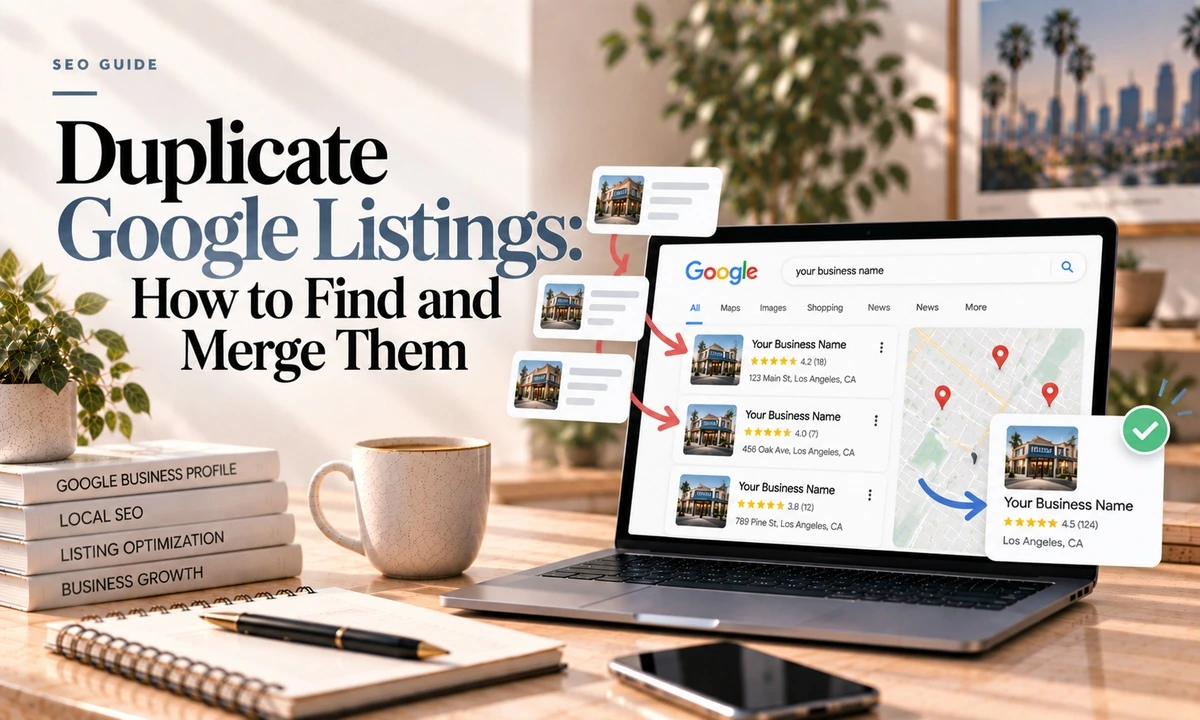
Duplicates are the quiet problem. Nothing breaks, no email arrives, and you only notice when someone mentions leaving you a lovely review that is not on your profile, because it is on the other one.
Here is how they happen, how to find the ones hiding, and the right fix for each kind. The last part matters more than usual here, because merging is effectively permanent.
How They Happen
- Someone on the team creates a listing without knowing one already exists.
- Data aggregators push inconsistent name, address and phone information into the ecosystem.
- Somebody loses the login and simply makes a new one rather than recovering it.
- A move leaves the old address behind as a second listing.
- Deliberate duplication as an outdated ranking tactic, which is against the guidelines.
Google's own criteria for calling something a duplicate: a verified profile already exists for the same business, multiple profiles share the same address, or multiple profiles exist for the same business offering different services.
One cause worth special attention: aggregators can recreate a duplicate months after you clean it up. This is why a duplicate audit is not a one-time job.
Finding the Hidden Ones
The obvious search misses most duplicates, because duplicates are usually not identical. Work through this list:
- Search your business name in Google, then separately in Google Maps. They do not always surface the same things.
- Search your exact address in Maps and look at everything registered there.
- Search a shortened version of your name. "Smith Plumbing" when you are "Smith Plumbing and Heating."
- Search your old phone number, including any call tracking numbers you have used.
- Search your previous address if you have moved.
- Search any DBA or trading names.
- Check your Business Profile dashboard for duplicate warnings.
Red flags that something is a duplicate rather than a different business: the same phone number across listings, the same building with the map pin nudged slightly, and for service area businesses, listings with inconsistent details.
For every listing you find, record the name, address, phone, verification status, review count and Maps URL, and take a timestamped screenshot. Screenshot your review replies specifically. Reviews survive a merge, but replies frequently do not, and once they are gone there is no recovering them. Fifteen minutes of documentation here saves a very bad afternoon later.
The Right Fix For Each Type
The flow genuinely differs by situation, and using the wrong one is why people get stuck.
| Situation | What to do |
|---|---|
| Storefront, two listings, same address | Claim both, verify the one you are keeping, contact support with both URLs |
| Service area business, duplicate has no reviews | Suggest an edit, mark it permanently closed |
| Service area business, duplicate has reviews | Contact support, request ownership transfer and merge |
| You created it by accident | Remove it yourself from your dashboard |
| Duplicate at your genuine old address | Move the profile rather than closing it. A move acts like a redirect |
| Listing at an address that never existed | Mark closed or remove. Not a merge |
The rule underneath: merge when it is the same business at the same address, delete or close when the addresses differ or the listing should not exist, and move when it is your real former location.
Google's own instructions for a merge are to report a suggestion on Google Maps, and it notes that all merge requests are subject to review. If you need profile IDs for a support request, they are under Business Profile settings, then advanced settings.
What Google Does Automatically
Google detects duplicates on its own and suppresses them. Its documentation says that if a profile is considered a duplicate, it will not show on Google Search or Maps.
Google also auto-merges listings it judges too similar, triggered by shared name, phone, address, categories or website. This is where it gets dangerous. If you genuinely have two distinct businesses or two legitimate locations that look alike to an algorithm, Google may merge them for you.
A leading local SEO agency puts it flatly: listings cannot be unmerged. If Google wrongly merges two of yours, the practical remedy is creating a new listing with genuinely distinct data, a unique suite number for instance, so it does not immediately re-merge, then asking support to migrate reviews manually. Google's documentation does offer an appeal of duplicate status, so there is a path on paper. Plan as though there is not.
Do Duplicates Actually Hurt Rankings?
Be suspicious of anyone who answers this confidently. There is no controlled study. What exists is:
- Documented fact: Google says a profile considered a duplicate will not show on Search or Maps. That is a visibility consequence, not a penalty.
- Practitioner view: duplicates split ranking power and review counts, and a duplicate can outrank or hide the listing you actually control. Credible, but asserted rather than measured.
- Indirect evidence: in an annual local ranking factors survey, your website's name, address and phone matching your Google profile sits around 15th, and citation consistency around 28th. So consistency matters, moderately.
The strongest honest case against duplicates is not a ranking penalty. It is that your reviews are split across two profiles, customers get sent to a dead address, and the listing Google decides to keep might be the one you cannot log into.
Two Edge Cases
Practitioner listings. If you are a solo practitioner, a separate listing for you personally is not actually a guidelines violation, and Google merges practitioner listings only in certain situations. A multi-practitioner business cannot remove or merge a practitioner's listing while that person still works there. When they leave, either the business requests deletion if it controls the listing, or the practitioner updates it to their new employer.
Shared addresses. Coworking spaces and medical buildings produce overlap that Google's systems may read as suspicious. If you are in a shared building, expect more scrutiny and make sure your suite number is on everything.
One Thing Not To Do
Do not report a competitor's duplicate without thinking it through. If Google merges it rather than removing it, the merge combines their review counts and leaves them stronger than when you started. More on when reporting is worth it here.
After You Fix It
Clean your citations so the aggregators do not recreate the duplicate, and re-check at one, three and six months. Then make sure the surviving listing is actually set up properly, because a consolidated listing with a weak profile is only half the job. The field-by-field walkthrough is here.
Frequently Asked Questions
How do I know if I have a duplicate Google listing?
Search your business name on Google and then separately in Maps, and search your exact address in Maps. Then try the variants: a shortened version of the name, your old phone number, a previous address, and any DBA names. Duplicates often hide by dropping a suite number or using a call tracking number, so searching only the exact current details will miss them.
Do duplicate listings hurt my rankings?
The honest answer is that there is no controlled study proving a ranking penalty, and plenty of articles assert one anyway. What is documented is that Google says a profile considered a duplicate will not show on Search or Maps at all. The strong arguments against duplicates are split reviews, customer confusion, and the risk that the listing Google keeps is the one you do not control.
How do I merge two Google listings?
It depends on the type. For a storefront, claim both, verify the one you are keeping, then contact support with both URLs. For a service area business whose duplicate has no reviews, use Suggest an edit to mark it permanently closed. If the duplicate does have reviews, contact support and request an ownership transfer and merge so the reviews are preserved.
Will I lose reviews when listings merge?
The reviews themselves are combined. Google notes that replies to reviews may be lost, and practitioners report this happens often. Screenshot any review replies you care about before you start, and check both listings afterwards to confirm the reviews actually moved.
Can a merge be undone?
Not in practice. One leading local SEO agency states flatly that listings cannot be unmerged, and the workaround is creating a new listing with genuinely distinct data so it does not re-merge, then asking support to migrate reviews manually. Google's documentation does offer an appeal of duplicate status, so the two accounts differ, but assume permanence and act carefully.
What about a duplicate at my old address?
You cannot merge listings at different addresses. If the old address was genuinely your previous location, move the profile rather than closing it, since a move behaves rather like a redirect and preserves the review history. If it is a listing that should never have existed, mark it closed or remove it.
If you suspect a duplicate but cannot find it, send me your business name, address and any old phone numbers and I will check. I find them fairly regularly on businesses that have moved or changed name. Processes here are current as of October 2026.