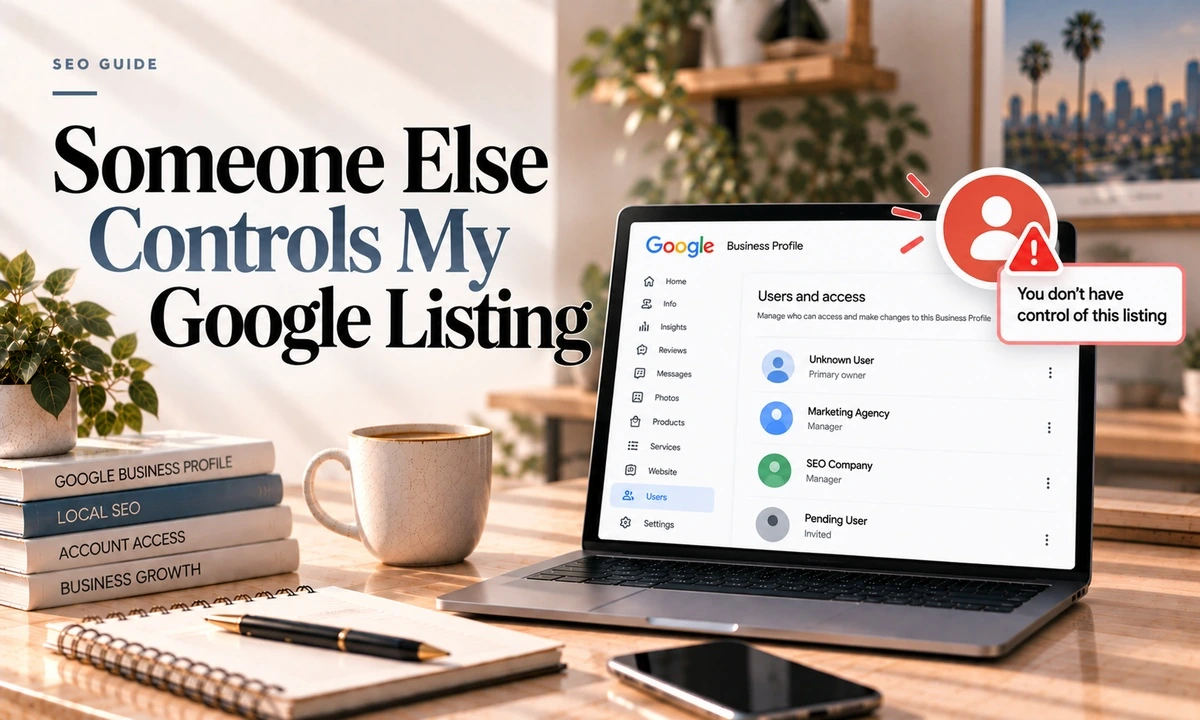
It is one of the most common calls I get. The marketing company that set everything up five years ago has gone quiet, or a former partner holds the login, or the person who built the site used their own Gmail and nobody thought about it at the time. The listing is yours in every real sense and you cannot touch it.
There is a defined process. It is slower than it should be and it does not always work, but it works often enough, and there are a few details that most articles on this get wrong.
First, Confirm What You Are Dealing With
Search your business on Google Maps and look for the phrase "Someone else may manage this Business Profile." That confirms it is claimed by another account.
Then work out which situation you are in, because the path differs:
- A former agency or freelancer created it under their own account. The most common case, and usually the easiest, because they often simply do not care anymore.
- A former employee, partner or co-founder set it up on a personal Gmail. Reported as the most common cause overall, and the most awkward.
- The previous owner of a business you bought never transferred it.
- Google auto-generated the listing from web data and a third party claimed it first.
The Request Access Flow
Google's help page calls this requesting ownership. The button in the product says Request Access.
- Go to the Business Profile sign-up flow or find the business, select the existing profile, and choose Request Access.
- Fill out the form and submit it.
- Keep the confirmation email. This matters later, so do not delete it.
- Google emails the current owner. They have three days to respond and can accept or deny.
- If they do nothing, you may then get the option to claim it: open your confirmation email, select View request, then Verify, and complete verification. Google is careful to say this option is not always available.
Most articles on this topic, including some from sources I otherwise trust completely, still say the current owner gets seven days to respond. Google's own current documentation says three days, in two separate places. Plan around three. If you are waiting on day five wondering whether the window has closed, it has.
Before You File, Just Ask
Seriously. An email to the old agency saying you are moving your marketing in-house and would like the profile transferred resolves this maybe half the time, immediately and without any process. Most agencies are not holding it hostage, they just have not thought about it since 2021.
Send that email and file the formal request at the same time. The three day clock starts running either way.
If They Deny It
You get a rejection email. Two things remain available.
Reply to the email with documentation. Business registration, business licence, utility bills in the business name at the business address, photos of the premises and signage. The documents need to match the profile exactly. This is the route that actually works.
Re-verify the business yourself. This is the escape hatch practitioners use. Verifying through postcard, phone or video can establish your control, and in a duplicate situation the listing then flags as a duplicate in your dashboard, at which point you request access from a much stronger position.
One warning. In September 2026 Google added a misuse of support channels policy, and repeated unfounded submissions can result in all further complaints being rejected without assessment. File once, properly, with evidence. Do not file the same request eight times.
Service Area Businesses Are Different
If your business hides its address, do not use the standard request flow. Google directs service area businesses to contact support and enter Transfer ownership of listing as the issue instead. Using the wrong path here is a common reason people get stuck.
Owner Versus Manager, and Why It Matters
There are two roles. Manager, which was formerly called site manager, and Owner. A profile can have several owners but exactly one primary owner.
- Owners can do everything, including adding and removing users and deleting the profile.
- Managers can do nearly everything except add or remove users and delete the profile.
- Google Groups cannot be added as owners or managers, which catches out agencies trying to use a shared alias.
Transferring primary ownership can only be done by the current primary owner, and the recipient must already be an owner or manager. The path is Business Profile settings, then People and access, then change the person's access level to primary owner.
For their first seven days, new owners and managers cannot delete the profile, remove other users, or make anyone primary owner. This is the detail that wrecks business sales. If you are buying a business, add yourself as an owner before closing, confirm the seller accepted it, wait out the seven days, then transfer primary ownership and remove them. Do it after closing and you are chasing a seller who has already got your money.
How to Never Have This Problem Again
This is the part worth acting on even if your listing is fine today.
- Own the account yourself, on your own business domain rather than a personal Gmail. A Google Workspace account on your domain survives staff turnover in a way that bob1987@gmail.com does not.
- Give agencies Manager access, never Owner. This is the most important line in this post. If an agency requests owner access, it becomes the primary owner and bumps every other user down to manager, including you. Manager access lets them do the work without owning your business identity.
- Keep at least two trusted owners. One person leaving, losing a phone or dying should not cost you the listing.
- Turn on 2-Step Verification on every owner account.
- Review access monthly and remove departing staff and former agencies the day they leave.
Google's own agency structure backs this up by design: an organization account cannot directly own an individual profile. Ownership is meant to stay with the client.
One More Thing to Watch
As of September 2026 you have a four day window to reject edits that members of the public suggest to your listing. Google's wording is that if you do not respond within four days it may automatically publish the update where it is supported by other publicly available information. If nobody is watching the notification email for your profile, strangers are editing your business hours. Make sure the account receiving those emails is one somebody actually checks.
Frequently Asked Questions
How do I get access to a Google Business Profile someone else owns?
Find the profile, select Request Access, and submit the form. Google notifies the current owner by email and gives them three days to respond. If they ignore it, you may then get the option to claim the profile yourself by opening your confirmation email, selecting View request, then Verify, and completing business verification. Google notes that the option to claim is not always available.
How long does the current owner have to respond?
Three days. A great deal of published advice still says seven days, including from otherwise reliable sources, but Google's current documentation says three in two separate places. Plan around three.
What if they deny my request?
You get a rejection email. You can still suggest an edit to the profile, and you can attempt to appeal. Note that Google's formal appeals tool is built for suspensions, rejected edits and restricted media rather than ownership denials, so the practical route is replying to the decision email with documentation: business registration, licence, utility bills, photos of the premises.
Can I just verify the business again myself?
In practice this is the real escape hatch when the holder ignores or denies you. Re-verifying the business through postcard, phone or video can get you control, and for a duplicate it will flag in your dashboard as a duplicate at which point you request access. Service area businesses should not use the standard request flow at all. Google directs them to contact support and give Transfer ownership of listing as the issue.
How do I stop this happening again?
Own the Google account yourself, on your business domain rather than a personal Gmail. Give your agency Manager access, never Owner. If an agency requests Owner access it becomes primary owner and demotes everyone else, including you. Keep at least two trusted owners, turn on 2-Step Verification, and remove departing staff and agencies immediately.
I am buying a business. When should the listing transfer?
Before closing, not after. New owners and managers cannot transfer primary ownership for their first seven days, so if you leave it until after the sale you are stuck waiting while the seller loses interest in helping you. Add the buyer as an owner pre-closing, confirm acceptance, wait out the seven days, then transfer primary ownership and remove the seller.
If you are locked out right now, tell me who has it and how and I will tell you which path applies. On a build I set this up correctly from the start, with you as primary owner on your own domain and me as a manager, so this never becomes your problem. Details here are current as of October 2026.