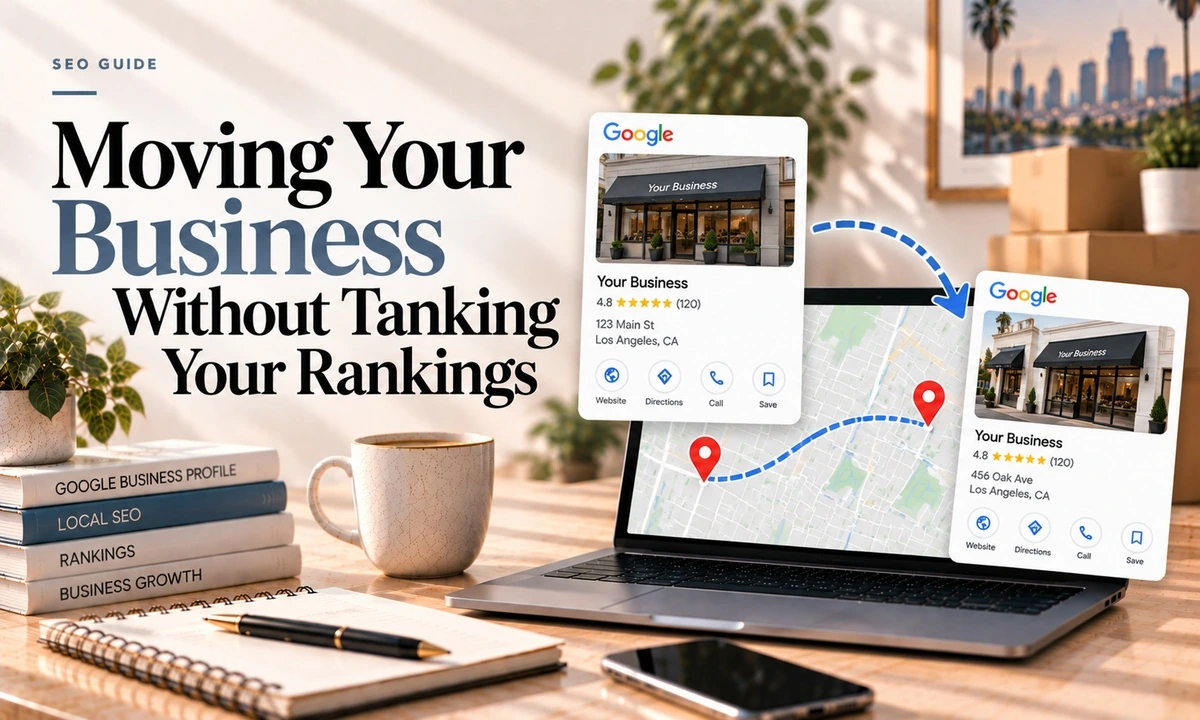
Moving is one of the few things in local SEO where some loss is unavoidable, and it is worth knowing that before you sign the lease rather than after.
Here is why it happens, what you can control, and the sequence that limits the damage.
Why a Move Hits So Hard
Google names three ranking factors for local results: relevance, distance and prominence. Distance is how far each business is from the person searching, and it is not something you can optimise around. It is geometry.
A widely cited annual survey of local ranking factors puts it more sharply. Of the top signals, proximity of your address to the point of search ranks second, and having a physical address in the city being searched ranks fourth. A move changes both at once. If you also switch to service-area-only and hide the address, you give up a third signal, since having the address showing ranks separately in that same list.
So the honest framing is not "how do I avoid losing rankings." It is "how much am I going to lose, and how fast can I rebuild."
When a business's map pin sits outside the physical boundary of the city it verified in, rankings for geo-modified keywords, the ones with a city name in them, typically fall off. A documented case had a business verified in one city ranking poorly for that city's name while ranking well for the neighbouring one. In Los Angeles this is a constant hazard because the boundaries are a patchwork: Santa Monica, Culver City, West Hollywood, Burbank, Glendale and large stretches of unincorporated county all sit within a few miles of each other. Check your new pin against the actual city line before you commit, not after.
The Rules You Have To Follow
- Re-verification is mandatory. Google states plainly that if you move after being verified, you must verify again. Methods include phone or text, email, video and postcard, and a photo-based option appeared in testing in September 2026.
- Edits are moderated. Google reviews changes before they go live. Usually about ten minutes, occasionally up to 30 days.
- Service area edits can take up to 48 hours to appear.
- Do not create a new listing. Move the existing one. The reviews and history are the asset.
The Sequence
Worth saying that respected sources disagree on the order here, so treat this as a considered judgment rather than settled fact. Some argue for updating citations and schema before touching Google at all. The sequence below is the one I would use, because verification at a new location goes more smoothly when the address is already published on your own site.
- Before anything, search Maps for defunct businesses at your new address. If a dead listing sits at your new pin, deal with it first or you will inherit a mess.
- Check the city boundary. Confirm the new pin falls inside the city whose name you want to rank for.
- Record where you stand now. Screenshot your current rankings for your main keywords so you can tell what actually changed.
- Update the address on your website, every page it appears on, including the footer, contact page and any schema markup.
- Change the address on the Google profile and complete verification at the new location. Do not edit the name or category while verification is pending. That voids the request.
- Once it is live, update directories by priority. Highest traffic first, then the high authority ones: Facebook, LinkedIn, Yelp, Foursquare, Yellow Pages and your industry specific listings. While you are in each one, check the phone number and hours too.
- Hunt for duplicates. Moves generate them. Here is how to find and merge them.
- Re-check at one, three and six months. Data aggregators can resurrect your old address long after you cleaned it up.
A free way to find who is citing your old address: Google Search Console, the Links report, which lists sites linking to you.
Do Not Change Your Name at the Same Time
Two reasons. Name changes are themselves among the more common suspension triggers, because the name has to match your signage or registration rather than your marketing. And editing the name or category while verification is pending voids the verification request outright.
Sequence them. Move, re-verify, let it settle for a few weeks, then change the name as a separate event.
Going From a Storefront to Service-Area Only
This is a specific case worth calling out because people do it during a move to save rent, without realising it is a separate decision with its own costs.
Google's rule is straightforward: keep the address if you still serve customers there, remove it if you do not, and then set service areas. What that costs you:
- It is a named higher-risk suspension trigger.
- You give up the address-showing signal, which in that ranking factors survey carries real weight on its own.
- Service area businesses have a harder path for ownership transfers and duplicate merges, going through support rather than the standard flows.
- The verification flow's business type question can lock you into hidden-address status permanently.
None of that means do not do it. It means do it deliberately. The full service area picture is here.
Reducing Suspension Risk
- Have documentation ready for both the old and new addresses before you start.
- Keep the profile consistent with your state registration and city licence.
- Leave time between edits rather than changing six fields in one sitting.
- Get permanent signage up at the new location before you verify, and consider getting fresh Street View imagery.
What to Expect Afterwards
I am not going to give you a recovery timeline, because no reliable data on it exists and the numbers you see quoted elsewhere are guesses. What I can tell you is the shape:
- Reviews stay. That part is fine.
- Rankings move in proportion to the distance, and more sharply if you crossed a city line.
- If you left a city you ranked well in, plan to rebuild rather than recover. The mitigations are real but partial: earn backlinks with the new city in the anchor text, strengthen the on-site signals for the new city, and get the citations consistent. None of them undo moving.
The one genuinely encouraging thing is that proximity cuts both ways. You are now closer to a different set of searchers, and those are rankings you did not have before. The usual timelines apply.
Frequently Asked Questions
Will I lose my Google reviews if I change my address?
No. Update the existing profile rather than creating a new one and the reviews stay with it. The mistake that loses reviews is closing the old listing and building a fresh one, which starts you at zero. If you are moving, move the profile. It behaves rather like a redirect.
Will changing my address hurt my rankings?
Almost certainly, and the reason is structural. In one well-regarded annual survey of local ranking factors, proximity of your address to the searcher ranks second overall and having a physical address in the city being searched ranks fourth. A move changes both at once. How much you lose depends on how far you go and whether you cross a city boundary.
Do I have to verify my business again after moving?
Yes. Google's documentation is explicit that if you move your business to a new address after it is verified, you must verify again. Available methods include phone or text, email, video and postcard, and a photo-based method appeared in testing in September 2026 that Google had not documented at the time.
What is the city boundary problem?
When a business's map pin falls outside the physical boundary of the city it verified in, rankings for keywords containing that city name typically suffer. In Los Angeles this bites constantly because the city lines are a patchwork. Moving a few miles can take you from Santa Monica to unincorporated county and quietly end your Santa Monica rankings.
Should I update my website or my Google profile first?
Sources genuinely disagree on this. The sequence I would follow is website first, then the Google profile with verification at the new location, then directories by priority. Verifying at a new location is easier when the address is already published on your own site. Do not change your business name at the same time.
How long does it take to recover after a move?
Nobody has published reliable data on this and I am not going to invent a number. Expect weeks rather than days, watch it for a couple of months, and understand that if you moved out of a city you ranked in, the honest expectation is rebuilding rather than recovering.
If a move is coming up, tell me where from and where to and I will tell you what you are likely to lose and what is worth doing first. I handle the website and citation side of a move as a fixed piece of work. Details here are current as of October 2026.