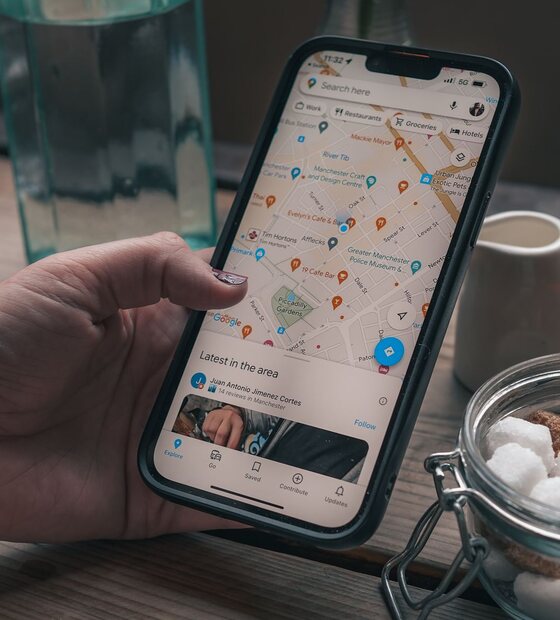
Your Google Business Profile is the first thing most potential customers see before they ever visit your website. It appears when someone searches your business name directly, and when someone searches for the type of business you are near their location. It shows your photos, your hours, your reviews, your services, and a direct path to call or visit you.
Most profiles are roughly 40% filled out. The rest of the fields sit empty, which means the business is giving Google less to work with, ranking for fewer searches, and presenting a less complete picture to potential customers. This guide goes through every section that matters and explains what to put in each one.
Business name
Use your real business name, exactly as it appears on your signage, business cards, and legal documents. That's it. Do not add keywords, neighborhoods, or taglines to your business name field. "Sunrise Plumbing" is correct. "Sunrise Plumbing - Best Plumber Los Angeles CA" is a policy violation that can get your listing suspended. Google's guidelines are unambiguous on this point, and enforcement has gotten stricter.
Categories
Your primary category is one of the most influential things on your entire profile. It tells Google what type of business you are and directly shapes which searches you're eligible to appear for. The rule is simple: be as specific as accurate allows. "Personal Injury Attorney" outperforms "Lawyer." "Mobile Auto Detailing Service" outperforms "Car Detailing." "Korean BBQ Restaurant" outperforms "Restaurant."
After your primary category is set, add secondary categories that accurately describe other services you offer. You can add up to nine. Don't add categories for things you don't do; this dilutes your relevance for what you do well.
Business description
You have 750 characters. Use close to all of them. Write in plain language, for a person, not a search engine. Mention your city and the neighborhoods you serve naturally, the way you'd tell a new acquaintance what you do. Name two or three of your core services. Say something specific about what makes your business worth choosing. Avoid generic phrases like "We pride ourselves on quality service" that could apply to any business in any industry.
Services
The services section is searchable. Every service you add is a keyword Google can rank you for in relevant searches. Don't lump everything into a single "General Services" entry. A house cleaner should list deep cleaning, move-out cleaning, recurring weekly cleaning, and window cleaning as separate services. A dentist should list teeth whitening, Invisalign, dental implants, and emergency dental separately. The more specific and complete, the more searches you can surface for.
Photos
Businesses with more photos get significantly more direction requests and website clicks than those with few or none. The photos should be real, not stock images. What Google and potential customers both want to see:
- Your logo (uploaded as the logo photo type)
- A compelling cover photo (often your storefront, your team, or your work)
- Your exterior, so people can find you when they arrive
- Your interior, so people know what to expect
- Your team at work
- Examples of finished projects or completed services
Aim for at least ten photos before you start actively driving people to your profile. Then plan to add new photos regularly. Profiles that add photos consistently read as active, which is a freshness signal Google factors in.
Hours
Set accurate hours and keep them updated. This means your regular weekly hours, your holiday hours, and any special closures. Wrong hours generate bad reviews from customers who showed up when you were closed, and they're one of the most common complaints about local business listings. Google also allows you to set "More hours" for things like senior hours, delivery hours, or online service hours, which is worth filling out if it applies to you.
Attributes
Attributes are the checkboxes that indicate things like "Wheelchair accessible entrance," "LGBTQ+ friendly," "Appointment required," "Women-owned," "Online appointments," and dozens of others depending on your category. Many searchers filter by these specifically. Fill out every attribute that honestly applies to your business. These are often the most-overlooked section of the profile.
Products
If you sell products, add them here with photos, descriptions, and prices if applicable. Each product listing is additional indexed content Google can associate with your profile. This section is especially relevant for retailers, boutiques, and service businesses that sell physical goods alongside their services.
Google Posts
Posts appear directly on your profile, visible to anyone who views your listing. They can be offers, events, product highlights, or general updates. They expire after seven days (unless they're events with a future date), which means they reward regular use. Post something weekly if possible. A photo of recent work, a seasonal promotion, a reminder about your hours during a holiday. The content doesn't need to be elaborate; consistency matters more than polish.
Q&A
Anyone can post a question to your Q&A section, and if you don't answer it, someone else sometimes will, often incorrectly. More importantly, you can seed this section yourself. Think of the five or six questions your customers ask before they book or buy. Post those questions and answer them thoroughly. This preempts the most common calls, adds relevant content to your profile, and gives Google additional material to surface in local search results.
An optimized profile isn't something you set up once and forget. Plan to spend about fifteen minutes per week on it: respond to new reviews, post an update, add a photo, answer any new Q&A questions, and check that your hours are still accurate. That small weekly investment compounds significantly over a year.
Once your profile is fully built out, the two highest-leverage things to keep working on are reviews and posts. For a focused guide on generating reviews consistently, see how to get more Google reviews. And for the specific actions that have the most direct impact on your Maps ranking, rank higher on Google Maps using your GBP covers the ongoing maintenance side.